
Skid Steer Attachment Compatibility: The Complete Guide
If you've ever bought a skid steer attachment only to realize the plug doesn't match your machine, you're not alone. It's one of the most frustrating problems in the industry, and honestly, it shouldn't still be a problem in 2026.
Here's the thing: skid steer attachment compatibility is a mess by design. Different manufacturers use different connectors, different voltage systems, and different control protocols. Some of this is legitimate engineering differences, but a lot of it is about keeping you locked into buying their attachments or spending money on adapters.
We started Skid Sync because we were tired of dealing with this ourselves. Whether you're running a rental fleet with five different machine brands or you're an operator who just bought a killer attachment that won't plug into your loader, this guide walks you through what you need to know about attachment compatibility, and how to fix it.
Why Attachment Compatibility Matters (And Why It's So Broken)
Your skid steer has an electrical system that controls auxiliary hydraulics. That's how you operate attachments like snow blowers, angle brooms, soil conditioners, and anything else that needs more than just the bucket to go up and down.
The problem? There's no universal standard. It's like if every phone manufacturer used a different charging port.
Here's what happens when compatibility goes wrong:
Downtime: You're ready to work, but you're spending two hours figuring out wiring instead
Safety risks: Incorrect wiring can damage equipment or create electrical hazards
Money wasted: Buying multiple harnesses and adapters adds up fast
Lost opportunities: You can't take a job because your attachment won't work with the machine you've got
Equipment sitting idle: You've got attachments you can't use because you don't have the right machine or the right adapter
We've seen operators with entire drawers full of harnesses and adapters, trying to keep track of which one works with what.
One more thing to check before you buy: not every machine ships with every control. Some machines came with only two or four attachment controls, and attachments like cold planers can need six or more. Confirm what your machine actually has.
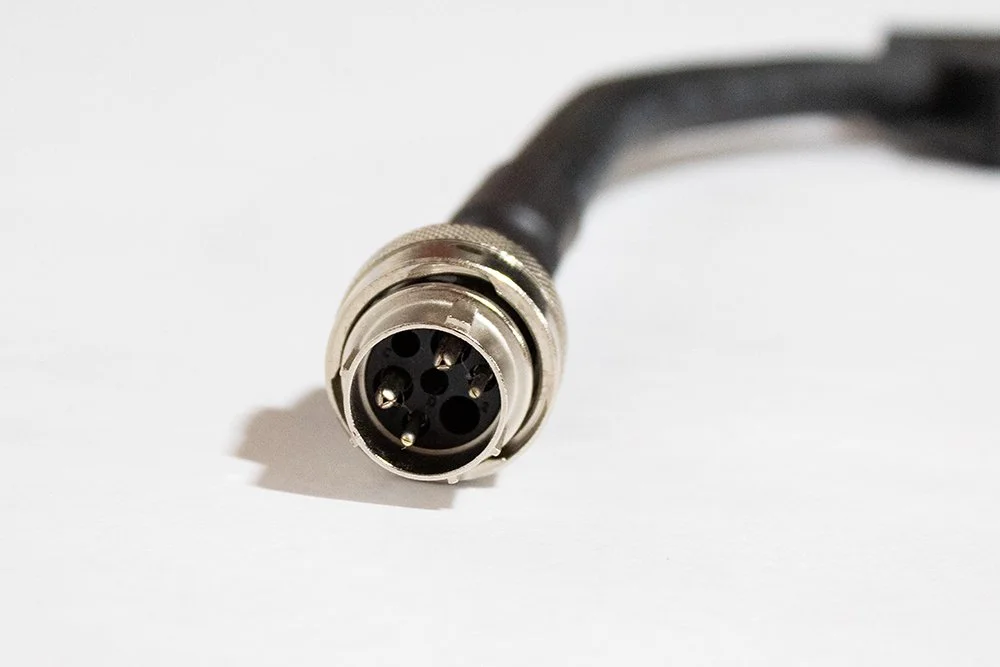
Bobcat 7 Pin Connector
Bobcat (The Complicated One)
Bobcat loaders come in two flavors when it comes to attachment control:
7-Pin System:
Uses a proprietary 7-pin connector
Based on CAN bus communication (the machine and attachment "talk" to each other digitally)
Requires specific controllers to convert to standard 14-pin
Older 14-Pin System:
Standard 12-volt layout: a ground, up to six controls, and a keyed power pin
Bobcat built the 7-pin system to keep you in their ecosystem. It worked for a while, but operators got fed up, and the market responded. Now you've got options.
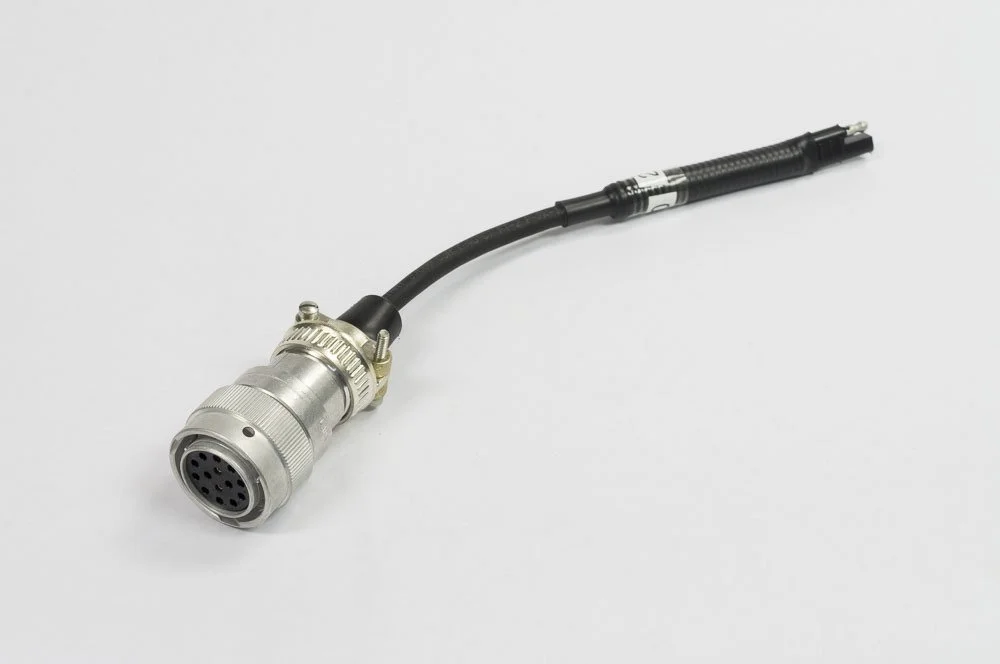
14 Pin Connector
CAT (The Transition Story)
8-Pin System (Older A, B, C Series):
8-pin connector, typically four control circuits and two grounds
Common on pre-2014 machines
14-Pin System (D-Series and Newer):
Moved to the 14-pin connector in 2014
Works with most third-party attachments, with one catch: the K pin is a high-flow sense line that acts as a ground on Cat attachments but carries 12 volts on Bobcat machines. Plug a Cat attachment into a Bobcat controller without repinning and you can blow a fuse
If you're running an older CAT with 8-pin and buying newer attachments with 14-pin, you'll need an adapter or a rewiring solution.
John Deere (The Unique Approach)
John Deere uses the same 14-pin connector as most brands, but puts the ground on pin A instead of pin B . Plug a Deere attachment into another brand's machine or controller and nothing will work until the ground is moved.
Case, Kubota, Gehl, Takeuchi, etc. (The 14-Pin Crew)
Most other manufacturers have adopted the 14-pin Deutsch connector as standard:
Pin functions are mapped consistently
Much easier to work across brands
This is how it should be: one connector, easy compatibility. But even within the 14-pin world, some machines are ordered with fewer controls than others, so it's not always plug-and-play.
Understanding Connector Types: The Technical Stuff (Simplified)
You don't need to be an electrical engineer to understand this, but knowing the basics helps.
The 14-Pin Connector
This is the closest thing we have to a "universal" connector in the skid steer world.
What it controls:
Power and ground
4 to 6 auxiliary circuits (depending on machine capability)
Optional high-current circuits for high-flow hydraulics
When you push a button in the cab, it sends power through one of these pins to activate a solenoid on the attachment, which then controls the hydraulic function.
The problem: Even though it's the common layout, manufacturers handle a couple of pins differently. John Deere moves the ground. Cat uses the K pin as a ground sense. Close enough to work most of the time, but not always.
The 7-Pin Bobcat System
Instead of simple electrical circuits, the 7-pin Bobcat system uses:
CAN bus communication (digital signals, not just on/off power)
An Attachment Control Device (ACD), basically a computer in the attachment
A proprietary communication protocol between machine and attachment
Why did they do this? Officially, for "better control" and "safety features." Unofficially, to lock you into Bobcat attachments.
The good news: there are controllers that plug into the 7-pin and convert it to standard 14-pin outputs, so you can run most attachments.
The Old Solutions (And Where They Fall Short)
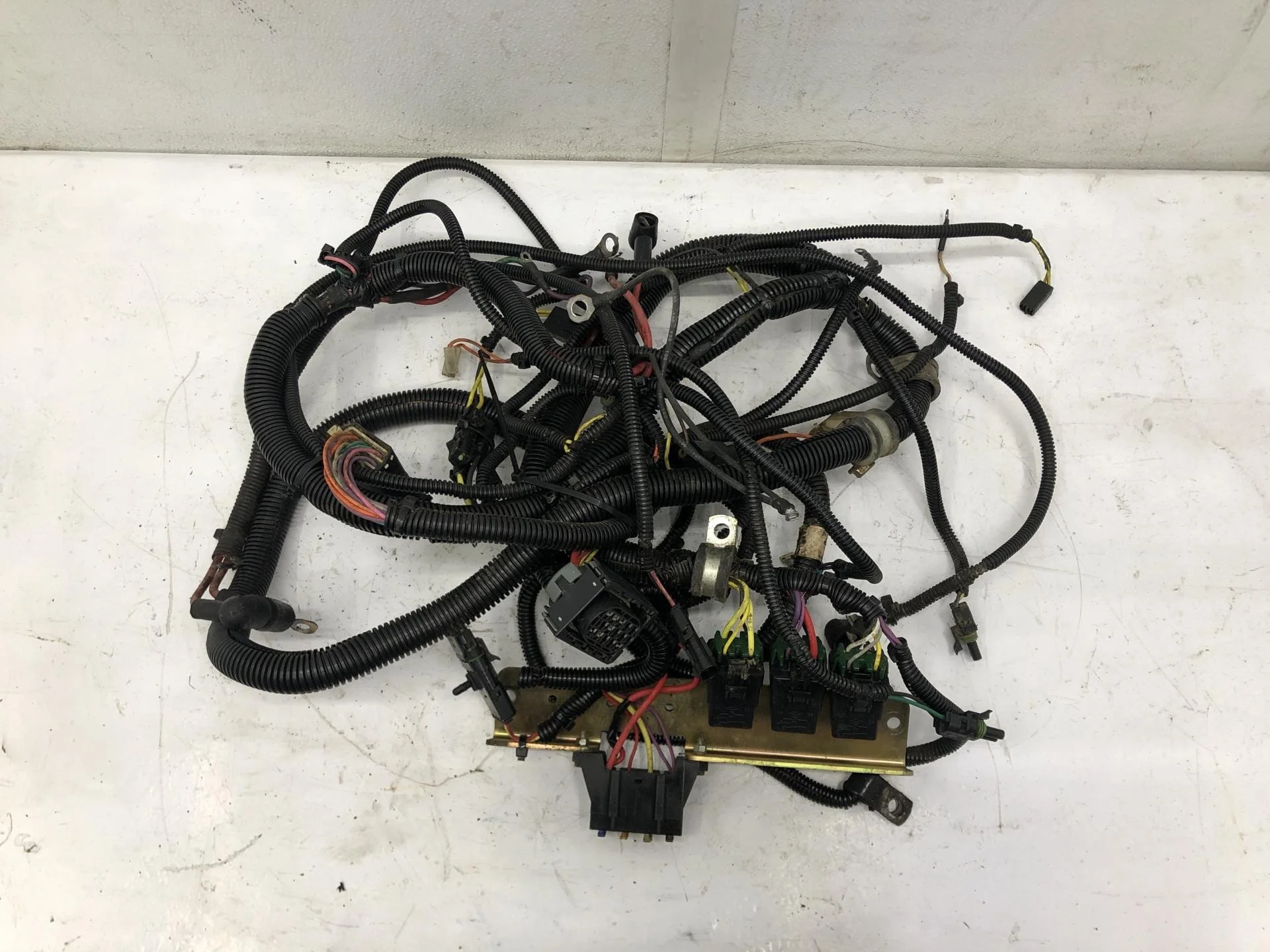
Messy Wiring Harness
The Old Solutions (And Where They Fall Short)
1. Adapter Controllers and Harnesses
These are adapter cables or controller boxes that convert one connector type to another.
Wired CAN controllers (Bobcat 7-pin):
Plug into the 7-pin and give you 14-pin outputs, so you run the attachment from the Bobcat sticks
Proven technology, wired, no battery
Only work on Bobcat machines, and Cat or Deere attachments may need pins moved first
Basic adapter harnesses (non-Bobcat):
Still need different harnesses for different machine and attachment combos
Cable management on the job site
2. Rewiring Attachments
Some operators just cut off the existing connector and wire in a new one to match their machine.
Problems:
Voids warranties
Easy to wire incorrectly (and fry something expensive)
Permanent change; can't use that attachment on other machines anymore
Time-consuming
Safety risk if done wrong
3. Buying Machine-Specific Attachments
Just buy attachments that match your machine brand.
Problems:
Limits your options in the used market
Restricts you to one manufacturer's attachments (usually more expensive)
Doesn't work if you have multiple brands of machines
Rental companies and contractors with diverse fleets are stuck
The Better Solution: Universal Wireless Control
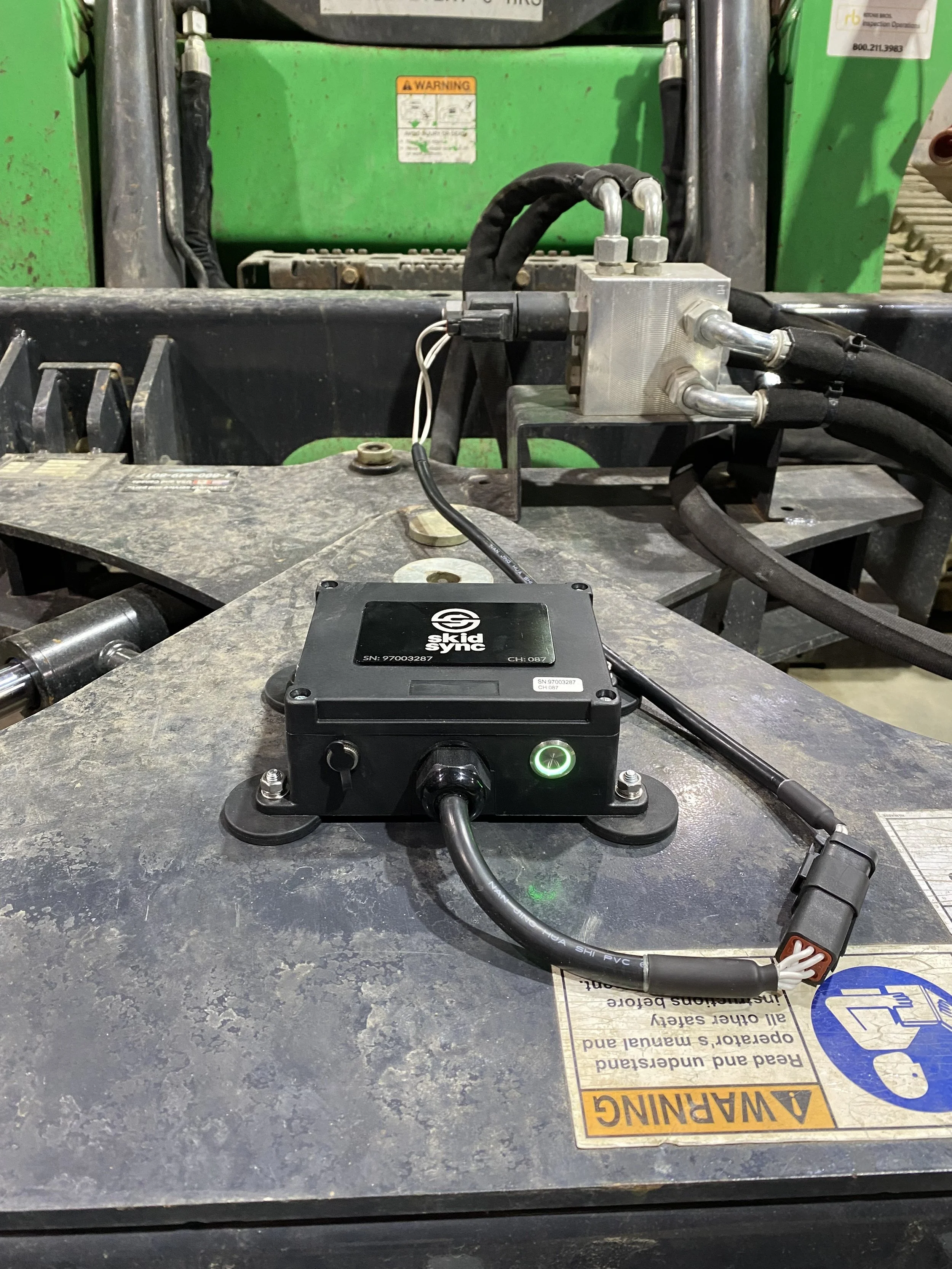
Clean Harness Setup
Here's where we're going to sound biased, because we built Skid Sync specifically to solve this problem. But hear us out.
What if, instead of a different adapter for each machine and attachment combination, you used one box that works with every attachment and every machine?
Here's how it works:
One universal wireless control box: about $790. It's battery powered (about 40 hours), sealed and weatherproof, and mounts right on whatever attachment you're running.
A harness on each attachment: $60. It plugs directly into the coils on the attachment, so there is no machine wiring and no repinning. The harness stays on the attachment.
Wireless operation: You run the attachment from a paired remote. No cables run between machine and attachment.
Move between attachments quickly: When you switch attachments, you take the box off one harness and put it on the next.
4-function or 6-function: One box handles simple attachments or complex multi-function units.
Kits: A box with one harness is $850.
On a Bobcat? Our B600 reads the machine's CAN signals so you run the attachment from the Bobcat joysticks, then sends them wirelessly to the box. The B600 is Bobcat only. Everything else uses the paired remote.
Why we think this works better:
One box instead of attachment-specific adapters: you buy one box and a $60 harness per attachment
Works with any machine brand: Bobcat 7-pin, CAT 14-pin, John Deere, it doesn't matter, because the box connects at the attachment's coils
No repinning: the harness is built for the attachment and stays on it
The box goes with you: keep it in your toolbox or truck and put it on whatever attachment you need that day
Say a contractor has:
A Bobcat S570 (7-pin) and a CAT 259D (14-pin)
Six attachments: snow blower, angle broom, dozer blade, soil conditioner, rotary cutter, planer
With Skid Sync that's one box ($790) plus six harnesses ($360), about $1,150. It works on both machines and all six attachments, one attachment at a time.
For a bigger operation: ten machines of mixed brands and fifteen attachments.
If only one attachment runs at a time: one box + fifteen harnesses = $1,690
If two run at the same time: two boxes + fifteen harnesses = $2,480
The number of boxes you need is the number of attachments you run at the same time, not the number you own. Work that out first, then compare it to whatever else you're pricing.
Buy a new machine next year? The box still works. Buy a used attachment with a weird connector? A harness fixes it.
Other Compatibility Solutions Worth Knowing
Wireless isn't the only solution, so let's be fair and cover the alternatives.
Aftermarket CAN Controllers (Bobcat 7-pin)
Pros:
Proven technology that works
Wired connection (some operators prefer this)
Use the machine's own sticks
Cons:
Bobcat machines only
Cat and Deere attachments may need pins moved
When it makes sense: If you run Bobcats and standard 14-pin attachments, and you want to use the machine's own sticks, a wired CAN controller is a good answer.
Basic Adapter Harnesses
For non-Bobcat compatibility, basic adapter harnesses are available.
Pros:
Less expensive than controllers
Simple, reliable technology
No electronics to fail
Cons:
Still need different harnesses for different machine and attachment combos
Wears out over time
Cable management on the job site
When it makes sense: If you're only dealing with one or two compatibility issues and rarely swap attachments, a plain harness is usually the cheapest option.
Permanent Rewiring (If You Know What You're Doing)
If you've got an attachment that you'll only ever use on one specific machine, rewiring it to match can work.
Pros: one-time fix, no adapters needed after rewiring.
Cons: permanent, voids warranties, requires electrical knowledge, doesn't help if you ever change machines or want to sell the attachment.
When it makes sense: Dedicated machine and attachment pairs that will never separate.
Making It Work: Practical Tips
Whatever solution you choose, here are some tips to make attachment compatibility less painful:
Document everything. Keep a chart of which machines you have and their connector types, which attachments you have and their connector types, which adapters and harnesses you own and what they connect, and photos of connections.
Label your cables. Use heat-shrink labels or tags on every harness and adapter.
Inspect connections regularly. Clean connectors with electrical contact cleaner, check for bent pins, look for cracked housings, and test continuity if something stops working.
Buy quality adapters. Cheap adapters fail. A failed adapter on a job site costs you more than the savings on a cheap cable.
Keep spares. If you're relying on a critical adapter or harness, keep a backup.
Check your controls first. Make sure your machine has as many controls as the attachment needs.
Plan for the future. If you're buying new equipment, consider compatibility in your decision.
The Future of Attachment Compatibility
Most manufacturers (except Bobcat with their 7-pin) have adopted the 14-pin connector, at least on newer machines. But we're still years away from true universal compatibility. There are too many legacy machines out there, too many proprietary systems, and not enough pressure on manufacturers to fix this.
That's where aftermarket solutions come in. The future is probably wireless. As the technology gets cheaper and more reliable, it makes less and less sense to deal with physical harnesses and connectors. Your skid steer controls can be wireless too.
Common Compatibility Questions
Can I damage my machine or attachment with the wrong adapter?
Yes. If you wire things incorrectly or use an adapter that doesn't properly match voltages and pin functions, you can blow fuses, fry control modules, damage solenoids, or create electrical shorts. Always use adapters designed for your machine and attachment combo, or go wireless to avoid the issue.
Will using adapters void my warranty?
It depends on the manufacturer and what you're doing. Commercially available adapters are usually fine. Cutting and splicing wires probably voids the warranty. Check with your dealer before modifying anything.
Why don't manufacturers just standardize?
Money, mostly. Proprietary systems create vendor lock-in. There are some legitimate engineering reasons too. CAN bus systems do offer some advantages in control precision.
Is wireless as reliable as wired?
Modern wireless systems are very reliable in normal operating conditions. That said, wired connections have zero chance of interference. If you operate in an area with heavy radio interference, wired might be better. A remote can also be lost or damaged on a job site, which is why we built the B600 for Bobcat owners who want to use the machine's own sticks.
How long does the battery last?
About 40 hours of use. Switching the box off stops any drain between jobs.
What about older attachments with no electrical controls?
If your attachment has no electrical functions (like a basic bucket, pallet forks, or most grapples), compatibility isn't an issue. This guide is about attachments with auxiliary hydraulic functions that need electrical control.
Can I mix 4-function and 6-function controls?
It depends on your system. We sell 4-function and 6-function boxes. If your attachment needs 6 functions, you need the 6-function box, and your attachment's valves have to support all six.
The Bottom Line
Skid steer attachment compatibility is unnecessarily complicated because of proprietary systems and lack of standardization. But you've got options:
For simple, occasional needs: get a quality adapter harness
For Bobcat 7-pin users who want to use the sticks: a wired CAN controller, or our B600
For multiple machines and frequent attachment swaps: go wireless with the universal box
We built Skid Sync because we were frustrated with this problem ourselves. Our goal isn't to lock you into another proprietary system. It's to give you the freedom to run any attachment on any machine.
What's Next?
Identify exactly what you have: machine brand and connector type, attachment brand and connector type
Count your controls and your simultaneous attachments
Decide on your solution: adapter, controller, or wireless, based on your situation
Buy quality: cheap solutions fail and cost you more in the long run
We're here to help. Whether you go with our wireless solution or something else, we want you to get back to work without fighting with electrical connections.
Shop Skid Sync Wireless Controls | Download Free Compatibility Matrix PDF | Talk to Our Team
